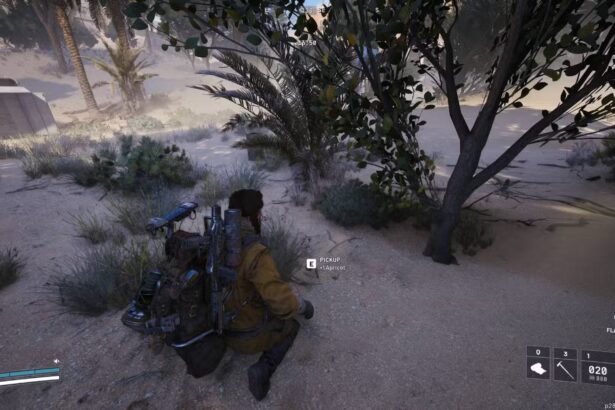

Arc Raiders is a competitive extraction shooter where performance directly impacts survival. Smooth frame rates, low input latency, and visual clarity are essential if players want to consistently succeed during expeditions. Since the game is built on Unreal Engine 5, it can be demanding on hardware, especially for lower- and mid-range systems.
Optimising video settings is one of the most effective ways to improve performance. Below is a comprehensive breakdown of the optimal Arc Raiders video settings, along with tailored recommendations tailored to different hardware tiers and visual quality preferences.
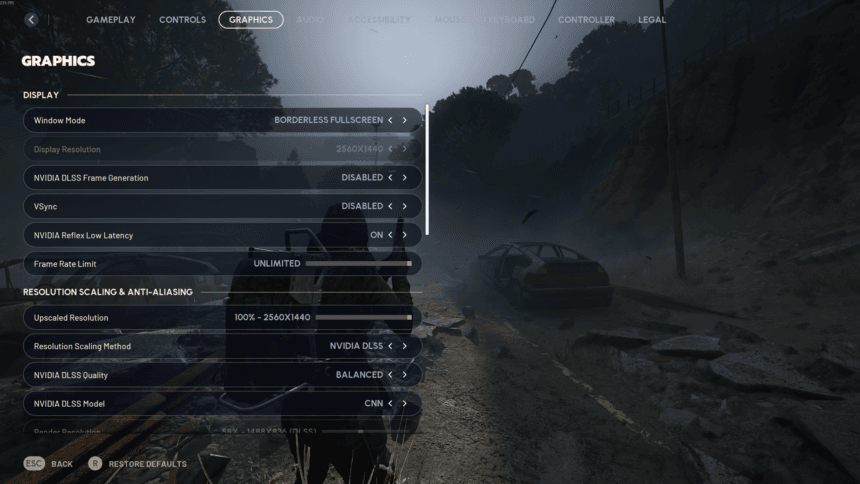
Recommended Core Video Settings (Balanced for Most Players)
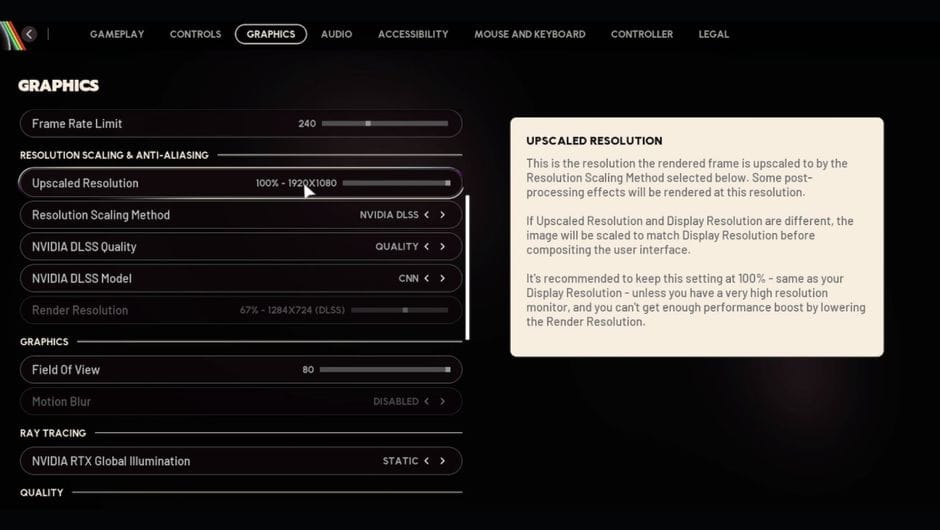
These settings offer the best balance between performance and clarity and should work well for most systems.
Display & Performance
- Window Mode: Fullscreen
- Display Resolution:
- 1920×1080 for 1080p monitors
- 2560×1440 for 1440p monitors
- V-Sync: Off
- Frame Rate Limit: Match your monitor’s refresh rate
- NVIDIA Reflex Low Latency: On
- Upscaled Resolution: 100%
- NVIDIA DLSS Frame Generation: Disabled
Upscaling
- Resolution Scaling Method: NVIDIA DLSS or AMD FSR
- DLSS Quality: Balanced or Performance
- DLSS Model: CNN
Camera & Effects
- Field of View (FOV): 80
- Motion Blur: Disabled
Graphics Quality
- View Distance: High
- Anti-Aliasing: Low
- Shadows: Low
- Post-Processing: Low
- Textures: Medium
- Effects: Medium
- Reflections: Low
- Foliage: Medium
- Global Illumination Resolution: Low
- NVIDIA RTX Global Illumination: Static
These settings reduce GPU strain while keeping enemy visibility high and minimizing visual clutter.
Performance Profiles Based on Hardware
Low-End PCs and Laptops
(GTX 1060, GTX 1650, RX 580, older laptop GPUs)
Goal: Stability and maximum FPS
- Resolution: 1080p
- Resolution Scaling: 85–90%
- DLSS/FSR: Performance
- View Distance: Medium
- Shadows: Low
- Global Illumination: Low
- Reflections: Off or Low
- Textures: Low to Medium (depending on VRAM)
- Effects: Low
- Foliage: Low
For older hardware, it’s best to cap FPS slightly below your average (around 55–60 FPS) to reduce stuttering.
Mid-Range Systems
(RTX 2060–3060, RX 6600–6700 XT)
Goal: Smooth gameplay with decent visuals
- Resolution: 1080p or 1440p
- DLSS: Balanced
- FSR: Quality
- View Distance: High
- Shadows: Low to Medium
- Global Illumination: Low
- Textures: Medium (8GB VRAM recommended)
- Effects: Medium
- Foliage: Medium
These settings target a stable 90–120 FPS range, which is ideal for competitive play.
High-End Systems
(RTX 4070–4090, RX 7900 XT/XTX)
Goal: High FPS with strong visual fidelity
- Resolution: 1440p or 4K
- DLSS/FSR: Quality
- Frame Generation: Optional (test for latency)
- View Distance: High
- Shadows: Medium
- Global Illumination: Medium
- Reflections: Medium
- Textures: High
- Effects: Medium
- Foliage: Medium to High
Players focused on competitive performance may still prefer disabling frame generation to minimize input latency.
Competitive vs Visual Quality Presets
Competitive / Esports Focus
- Resolution: 1080p
- DLSS/FSR: Performance
- Shadows: Low
- Effects: Low
- Post-Processing: Off
- Motion Blur: Off
- FOV: 80–85
- Target FPS: 120+
This setup prioritizes enemy visibility, responsiveness, and consistency.
High-Quality / Cinematic Play
- Resolution: 1440p or 4K
- DLSS/FSR: Quality
- Shadows: Medium
- Effects: High
- Global Illumination: Medium
- Target FPS: 60–75
While visually impressive, this preset is not recommended for ranked or high-stakes expeditions.
Stability and Optimisation Tips
- Keep graphics drivers updated, especially after game patches
- Close background applications (browsers consume significant RAM and GPU resources)
- Disable overlays from Steam, Discord, and Xbox Game Bar
- Restart the game after applying major setting changes
- If stuttering persists after updates, clearing the shader cache can help
Optimising Arc Raiders properly can dramatically improve performance and consistency, regardless of hardware. Whether you’re pushing for high-rank expeditions or just trying to survive longer runs, the right settings can give you a clear edge in combat and exploration.